

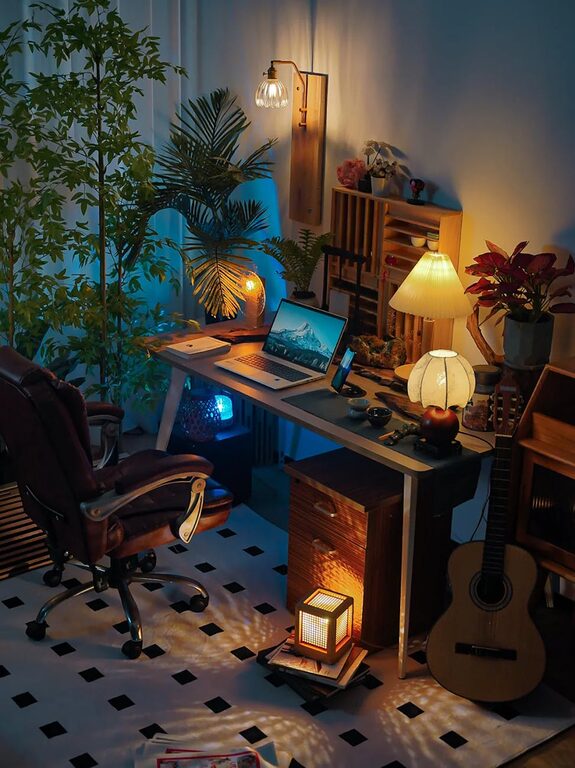
Creating a cozy and inviting home office is essential for anyone who works from home or spends a significant amount of time on personal projects. A well-designed workspace can enhance focus, reduce stress, and make working more enjoyable. Whether you have a dedicated room or just a small nook, these tips will help you craft a comfortable and inspiring office space.
Choose the Right Location
Consider Natural Light
Natural light can improve mood and reduce eye strain. Choose a spot near a window if possible. Avoid glare on your computer screen by positioning your desk perpendicular to the window.
Minimize Distractions
Select a quiet area away from the household hustle and bustle. If space is limited, consider using room dividers or screens to create a separate work zone.
Invest in Comfortable Furniture
Ergonomic Chair
A good office chair provides proper support to your back and promotes good posture. Look for adjustable options to customize height and recline.
Functional Desk
Choose a desk that fits your needs and available space. A surface large enough for your computer, notebooks, and other essentials will keep your area organized and efficient.
Add Soft Textures
Incorporate comfort with a cushioned chair pad, a cozy throw blanket, or a soft area rug underfoot to warm up the space.
Personalize Your Space
Choose Calming Colors
Soft, neutral hues or gentle pastels create a soothing atmosphere. Avoid overly bright colors that may feel distracting or overwhelming.
Display Meaningful Items
Surround yourself with photos, art, or plants that inspire you. A few personal touches can make your office feel welcoming and motivate your work.
Use Inspiring Quotes
Consider placing motivational quotes or affirmations on your walls or desk to boost positivity throughout the day.
Organize for Efficiency
Declutter Regularly
Keep your workspace tidy by clearing unnecessary items. A clutter-free desk encourages a clear mind and better focus.
Use Storage Solutions
Incorporate shelves, drawers, or baskets to store supplies neatly. Label containers to easily find what you need.
Manage Cables
Use cable organizers or clips to reduce tangled wires and keep cords out of sight. This makes your desk look cleaner and safer.
Enhance Lighting
Layer Your Lighting
Combine natural light with ambient, task, and accent lighting. A desk lamp with adjustable brightness is ideal for focused work.
Consider Warm Light Bulbs
Warm light creates a cozy ambiance, which helps reduce eye fatigue compared to harsh, cool lighting.
Avoid Screen Glare
Position lights and screens carefully to prevent reflections and shadows on your computer.
Add Plants and Natural Elements
Incorporate Greenery
Plants not only improve air quality but also boost mood and creativity. Choose low-maintenance options like succulents or snake plants.
Use Natural Materials
Wood, wicker, or stone accessories add texture and warmth to your office. These natural touches create a relaxing environment.
Maintain Comfort and Temperature
Control Room Temperature
Keep your office at a comfortable temperature to stay focused. Use a fan or space heater as needed.
Consider Air Quality
Open windows regularly or use an air purifier to keep the air fresh.
Add Cozy Accessories
A small blanket or cushioned footrest can enhance comfort during long work sessions.
Set Boundaries and Routine
Define Work Hours
Create a start and end time for your workday to maintain a healthy work-life balance.
Use Visual Cues
Close the door or use a specific sign when you are working to minimize interruptions.
Break Up Your Day
Schedule short breaks to stretch or move around, helping to reduce fatigue and refresh your mind.
Final Thoughts
Designing a cozy and inviting home office is about balancing functionality with comfort. By creating a well-lit, organized, and personalized space, you can improve productivity and enjoy your work time, no matter where you are. Remember, your home office should reflect your style and work habits while providing a peaceful setting to focus and thrive.